Saturday, 27 January 2024

Taylor Swift’s Name Can’t be Searched on X Following AI Explicit Photos Scandal, According to Billboard

“Something’s Wrong on X!” – Social Media Users Stunned by Taylor Swift’s Search Glitch

Fans of pop sensation Taylor Swift had quite a surprise on social media platform X on January 27 when their search attempts ended in an error message. According to reports, a search for “Taylor Swift” on X resulted in an error message saying, “Something went wrong. Try reloading.” While Swift’s official account was still accessible at the time, the search issue perturbed many social media users.

Following the issue, Billboard has reportedly reached out to the representatives of X for comments. However, no official statement or explanation has been provided as of now.

This technical glitch arrived shortly after disturbing deepfake images of Swift began circulating online. A scandalous post featuring the photos was reportedly viewed 47 million times before X took the necessary action of suspending the account. The company even shut down several other accounts sharing the fake images. This triggered a wave of support for Swift with the trend “Protect Taylor Swift” soon flooding X.

In the wake of this scandal, the White House issued a statement, calling for new legislation to better protect victims of online harassment. White House Press Secretary, Karine Jean-Pierre, termed the incident “alarming” and emphasized the need for congressional legislative action.

Jean-Pierre opined, “Of course Congress should take legislative action. That’s how you deal with some of these issues”. She firmly stated that tech companies should enforce stricter rules to combat this sort of harassment.

The Press Secretary indeed expressed concern over lax enforcement as it “disproportionately impacts women and girls who are the overwhelming targets of online harassment and abuse.”

Actor’s union, SAG-AFTRA, also echoed similar sentiments, stating, “The development and dissemination of fake images — especially those of a lewd nature — without someone’s consent must be made illegal.” They asserted that the images are “upsetting, harmful, and deeply concerning.”

Reports suggest that the occurrence of such incidents is of grave concern, raising legitimate questions about the security and safeguards provided by social media platforms. This incident, in particular, underscores the urgent need for bolstered legislation and stringent implementation of existing rules to safeguard the interests of users.

Cherish your passion for music? Visit MakingMusic101.com to explore the world of music further.


from Making Music 101 https://ift.tt/5pC2064

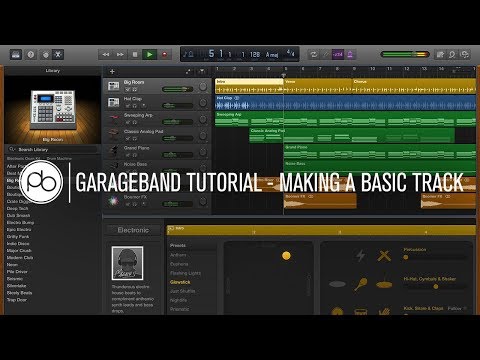
AI in Music: Simplifying Music Creation for Beginners in GarageBand

Imagine you're standing before a vast, intimidating canvas, your palette brimming with colors yet you've never held a brush—this is how music creation can feel for beginners.

GarageBand, with its AI integration, offers a set of training wheels that guide your first strokes, easing you into the artistry of sound. You're now able to shape melodies, harmonies, and rhythms with tools that anticipate your needs and simplify complex musical concepts.

As a novice, you can compose pieces that resonate with the ear of a seasoned listener, and as a professional, you can find new dimensions of creativity.

The power of AI in GarageBand doesn't just level the playing field; it invites you into an orchestra where the baton is finally in your hands.

So, how does AI transform a curious enthusiast into a maestro of their own digital concert hall? Stay tuned, and unlock the symphony of possibilities that await in the nexus of technology and melody.

Key Takeaways

  • GarageBand's user-friendly interface makes it easy for beginners to start creating music.
  • AI tools like MuseNet and Magenta can assist in generating compositions and melodies, streamlining the music-making process.
  • AI compositions can be seamlessly integrated with GarageBand's loop library and software instruments, offering a wide range of creative possibilities.
  • GarageBand's Smart Instruments simplify music creation and provide a professional flair to compositions, empowering beginners to create music without prior knowledge of traditional instruments.

Exploring GarageBand's Interface

YouTube Video

Diving into GarageBand, you'll find its interface invitingly straightforward, beckoning even novices to begin crafting music with ease. The intuitive, user-friendly interface streamlines your music creation journey, allowing you to navigate through the myriad of features without feeling overwhelmed.

Whether you're on an iPad or an iPhone, the touch instruments respond to your every gesture, making the process of laying down tracks feel natural and fluid.

As you create a new project, you'll be prompted to select a software instrument track. Here, the Smart Controls shine, offering you the ability to tweak sounds to your liking with just a few taps. The loop browser is an innovative playground, brimming with pre-made audio loops that you can drag and drop into your composition, infusing your tracks with complexity that belies the simplicity of the action.

GarageBand doesn't just cater to the synthetic; it's equally adept at accommodating live vocals and acoustic recordings. With tools like the Alchemy synth, you're equipped to delve into electronic sounds, sculpting waves that capture the essence of your sonic vision.

It's a seamless blend of approachability and advanced technology, perfect for igniting the spark of creation in any aspiring musician.

Starting With Ai-Generated Music

exploring ai generated musical compositions

Now that you're familiar with the basics of GarageBand, let's shift your attention to the innovative world of AI-generated music.

You have at your fingertips powerful AI tools like OpenAI's MuseNet and Google's Magenta, which can fuel your creative process by generating compositions and assisting with melody creation.

As you embark on this journey, you'll find these AI solutions can remarkably streamline the music-making process, opening up new possibilities for sonic exploration.

Exploring AI Compositions

Exploring AI-generated music opens a realm of possibilities. With tools like OpenAI's MuseNet and Google's Magenta at your fingertips, you can craft compositions spanning various genres. In GarageBand, you can merge these AI compositions with an extensive loop library and an array of software instruments.

Imagine initiating a new track, with a melodic line conceived by AI. Then, using your MIDI controller, you can enrich it further. It's not just about blending; you're also transforming ideas into tangible audio input that resonates with your creative vision.

Whether you're a novice or seasoned musician, the integration of AI into music composition with GarageBand is revolutionizing the way you create. It offers a symphony of innovation right at your command.

AI-Assisted Melody Creation

Embarking on the journey of AI-assisted melody creation can transform your approach to music production, offering an innovative palette of styles through the use of sophisticated algorithms like Google Magenta's MusicVAE and Performance RNN.

With GarageBand, you're poised to create music that resonates with complexity and emotion, previously attainable only by seasoned composers. The platform's sound library, replete with a variety of MIDI files, empowers you to experiment with diverse instrument sounds.

Use GarageBand's Piano Roll to intricately edit AI-generated melodies, ensuring every note aligns with your creative vision.

And with a simple click on the loop icon, you can seamlessly integrate these melodies into your project, elevating your music production to new heights of artistry and innovation.

Utilizing Smart Instruments

YouTube Video

Harnessing the capabilities of Smart Instruments in GarageBand, you can effortlessly compose music, even if you've never touched a traditional instrument before. As a beginner, simplifying music creation becomes not just a possibility, but a thrilling reality. GarageBand's Smart Instruments are designed to open up a world of musical exploration, allowing you to create a song with professional flair.

Imagine laying down a track with:

  • Piano chords that resonate with your soul, without needing to know music theory.
  • Guitar strums that stir the heart, all while your fingers remain callous-free.
  • Bass grooves that infuse your music with a pulse, empowering you to feel like a seasoned musician.
  • Drum beats that bring your song to life, ensuring every listener's foot is tapping along.

Creating Beats With Drummer

music production with live drums

You're now ready to lay down the foundation of your track by creating beats with Drummer in GarageBand.

Begin by selecting your virtual drummer, a choice that sets the tone and style for your rhythm section.

Then, customize your drum patterns and adjust the complexity to precisely match the energy and feel of your music, ensuring every beat resonates with your artistic vision.

Selecting Your Drummer

Dive into the rhythm of your music by selecting the ideal drummer in GarageBand, a choice that lays the foundation for your track's groove and feel. GarageBand's Drummer feature is the user-friendly way to make beats that resonate with your creative vision.

Choosing a Drum isn't just about the rhythm; it's about breathing life into your music.

  • Feel the pulse of your track with a drum beat that adapts dynamically to your song's arrangement.
  • Transform your ideas into reality with simple, intuitive controls for beginners.
  • Discover a world of rhythmic possibilities by experimenting with different virtual drummers.
  • Craft your unique sound by customizing complexity, loudness, and fills.

Embrace the innovation at your fingertips and let GarageBand's drummer lay the sonic foundation of your next masterpiece.

Customizing Drum Patterns

Step into the role of a virtual percussionist and begin molding the pre-set drum patterns in GarageBand to echo the unique rhythm of your song. You're not just pressing buttons; you're orchestrating an audio track that breathes life into your music. With GarageBand, you can alter the complexity, fills, and swing to personalize your drum tracks. Explore using different drum kits and percussion sounds to find the perfect beat.

Here's a quick guide to get you started:

Feature How It Affects Your Drum Pattern
Complexity Adds intricacy to your beats
Fills Introduces dynamic breaks
Swing Gives a groovy feel to the rhythm
Drummer Editor Fine-tunes individual MIDI notes
Multiple Tracks Layers patterns for depth

Innovate with instruments, explore patterns, and create your signature sound by combining multiple Drummer tracks. Your music is a canvas—paint it with rhythm.

Adjusting Drummer Complexity

Harness the power of GarageBand's Drummer Editor to effortlessly sculpt the intensity and complexity of your drum patterns, ensuring they perfectly complement the energy and style of your track. As a beginner in music production, simplifying music creation means having the tools to adjust pre-recorded loops with precision. Using GarageBand's intuitive interface, you can:

  • Slide towards a fierce crescendo or dial back for a mellow vibe.
  • Weave complexity into your rhythm, making it as intricate or minimalistic as you desire.
  • Instantly hear the impact of your adjustments, fostering a seamless creative flow.
  • Personalize each beat to resonate with your musical vision.

Laying Down a Bassline

creating rhythmic bass patterns

When you're ready to anchor your song with a groove, laying down a bassline in GarageBand is a straightforward process that begins by selecting the perfect bass instrument for your track. You'll want to create a new track specifically for the bass, ensuring that it blends seamlessly with your song's existing elements.

Next, dive into the array of instruments available in GarageBand. Experiment with different bass sounds to see which one resonates with your track's mood. Once you've found the ideal bass instrument, you can either use the touch instrument to craft your bassline manually or find a loop that complements your song's rhythm.

Now, it's time to lay down the foundation. Click the record button and start recording your bassline. Don't worry about getting it perfect on the first try; GarageBand's editing tools allow you to adjust the timing and duration of each note to perfection. If you're feeling creative, consider dragging and dropping a pre-made loop onto your track for instant gratification.

To truly make the bassline your own, don't hesitate to add effects, enhancing the depth and texture. Select the track, play around with the effects until you're satisfied with the sound, and there you have it—a bassline that propels your track forward.

Composing With Loops

creating music with loops

As you explore the world of digital music creation, you'll find that composing with loops in GarageBand is a game-changer.

You can build tracks layer by layer, selecting from an extensive library of pre-recorded segments that seamlessly integrate into your project.

Adjusting the pitch, length, and effects of these loops allows you to tailor each piece to your musical vision with ease.

Exploring Loop Libraries

Dive into the world of loop libraries, where you can effortlessly infuse your music creations with a diverse array of pre-recorded beats, melodies, and harmonies. GarageBand offers a wide selection of loops that cater to various genres, ensuring that you're fully equipped to express your musical vision.

Here's what you can do:

  • Choose the loop that resonates with your project's mood and easily drag it onto your track.
  • Experiment with different loops to discover unique combinations that elevate your music.
  • Tailor loops to fit your project settings, adjusting length and pitch for seamless integration.
  • Create rich music without extensive experience, bridging the gap between beginners and seasoned artists.

Engage with loop libraries in GarageBand and let your creativity flow unbounded.

Building Tracks Layer-by-Layer

Embark on the journey of building your music track by layer, harnessing the power of GarageBand's loops to add depth and complexity with each new addition. As you're getting started, select 'New Music Project' and hit the plus button to lay down new audio. This is where your creativity blooms.

Think of yourself as a maestro, orchestrating individual tracks to construct a symphony of sound.

For you, beginner producers, GarageBand's intuitive interface makes building tracks layer-by-layer a breeze. Record button at the ready, you can weave together an array of instruments and sounds.

Use loops to enrich your composition, tweaking length, pitch, and effects as you go. Your innovation shapes the very essence of the music you create, one track at a time.

Adding and Tweaking Vocals

enhancing vocal recordings with edits

When you're ready to breathe life into your track, skillfully adjusting and enhancing the vocals can transform your music from a simple melody into a captivating sonic experience. GarageBand, your go-to audio software, makes adding and tweaking vocals an intuitive process for beginners and seasoned musicians alike.

First, ensure your microphone is set as the input source. Then, hit the record button and pour your soul into the microphone. Don't worry if it's not perfect on the first take; GarageBand offers powerful tools for polishing your vocal tracks.

  • Adjust track volume and pan to find the perfect place for your vocals in the mix.
  • Add depth with reverb or echo to make your voice resonate with emotion.
  • Use pitch correction to iron out any off-key notes — your secret auto-tune ally.
  • Experiment with vocal presets for guitar tracks or other instruments to inspire innovative textures.

Whether you're sculpting the lead vocals for your latest track in GarageBand or layering harmonies to enrich the texture, these tools empower you to create with confidence.

Mixing With AI Assistance

ai assistance for creative mixing

Having refined your vocals with GarageBand's suite of tools, you'll find that integrating AI assistance in mixing can now elevate your music to professional standards with ease. This innovative feature within the software is a game-changer, particularly for beginners. The AI assistance offers automated suggestions and fine-tuning for levels and panning, ensuring that each element of your composition harmoniously occupies its own space in the mix.

The tool doesn't stop there; it extends its capabilities to effects, applying the right reverb or delay where it feels most musically appropriate. This not only enhances the overall sound but also imbues your tracks with a polish that was once the exclusive domain of seasoned sound engineers. With Auto Normalize, another advanced feature, your final mix gains the optimal loudness without you needing to grapple with complex mastering techniques.

What's more, as AI provides real-time feedback, it doubles as an educational aide, demystifying the principles behind professional audio mixing. You're not just creating music; you're learning the intricacies of music production. GarageBand's AI in mixing is more than just a tool—it's your companion on a journey to crafting rich, dynamic soundscapes.

Mastering Your Track

audio mixing and mastering

As you delve into mastering your track in GarageBand, you'll employ EQ to fine-tune the balance of frequencies, ensuring every note sits perfectly in the mix. This process isn't just technical—it's where your song gains its final polish and emotional impact. Mastering in GarageBand is designed to be intuitive, making it possible for you to achieve a sound that resonates with listeners and stands out in the vast world of music.

  • Bring out the soul of your music with precise EQ adjustments.
  • Unleash the power of dynamics with thoughtful compression.
  • Create an enveloping ambiance with the right touch of reverb.
  • Give your track a captivating spatial quality with stereo imaging.

Once you're satisfied with the sound, it's time to export your GarageBand project. Navigate to the Share menu, where you'll find various export options. Choose the audio file format that suits your distribution plan. If you're aiming for the highest quality, consider transferring your mix to a professional DAW like Logic Pro for further mastering.

Sharing Your AI-Crafted Song

ai generated song sharing platform

You've mastered the art of music creation with AI; now it's time to share your masterpiece with the world. GarageBand, your trusty companion in this creative journey, makes it seamless to save your project and prepare it for the grand reveal. With just a few taps, you can export your AI-generated song in a format that's ready for any platform, ensuring your sound reaches listeners on Apple devices and beyond.

When you're set to share your project, think beyond your project file. Engage with your audience by hitting that record button and using Auto-Tune for a personalized touch. Then, head to social media platforms and music-sharing websites to broadcast your innovation. Let the world hear the future of music, born from the melding of technology and artistry.

Don't stop there—collaborate with other creators who make music with the aid of AI. Your song could spark a new project or a remix that resonates across communities. And remember, with the App Store at your fingertips, you can tap into music distribution services that catapult your AI-crafted song onto streaming platforms and digital stores.

It's your moment—share your sound, make waves, and watch as the world tunes in.

Continuing Education in GarageBand

enhancing music skills with garageband

After sharing your AI-crafted song with the world, it's time to deepen your mastery of GarageBand by exploring its more sophisticated features and tools. As you dive into continuing education, you'll find that GarageBand provides a wealth of resources specifically designed to enhance your musical compositions.

It's extremely easy to get started, and before you know it, you'll be creating with the finesse of a seasoned artist.

Here's how to take your skills to the next level:

  • Discover guitar and piano lessons: Hone your instrumental prowess with lessons that cater to both beginners and experienced musicians.
  • Use the built-in tools: Experiment with loop creation and audio editing to add depth and texture to your tracks.
  • Maximize the built-in microphone: Record high-quality samples and vocals directly within GarageBand to personalize your sound.
  • Explore AI and generative solutions: Stay at the cutting edge by incorporating AI-driven elements into your music for a truly innovative experience.

GarageBand is a powerful tool that marries simplicity with advanced capabilities. By investing in your musical journey, you're not just learning an application—you're unlocking a universe of sonic possibilities.

Frequently Asked Questions

Is There an AI That Creates Music?

Yes, there are AI composers using generative algorithms for creative automation. They harness machine learning to craft algorithmic melodies, offering digital inspiration and marking music evolution with artificial musicians' sonic intelligence.

Can You Actually Make Music With Garageband?

Yes, you can make music with GarageBand, leveraging its intuitive interface, vast virtual instruments, and loop libraries. Dive into audio recording, music editing, track layering, MIDI, and sound experimentation for an innovative creation experience.

Is Garageband Good for Beginners?

Yes, GarageBand is great for beginners! You'll find its user-friendly interface, intuitive tools, and pre-recorded loops ideal for learning. Plus, the instrument variety, touch instruments, and free availability boost your creative flexibility.

What Is the AI That Generates Sheet Music?

The AI generating sheet music harnesses composition algorithms for melody generation, utilizing creative AI for sound analysis and pattern recognition, elevating sheet interpretation through algorithmic composing, and integrating musical intelligence into notation software for innovative creators.

Conclusion

You've journeyed from exploring GarageBand's intuitive interface to sharing your AI-crafted masterpiece.

Along the way, you've harnessed AI to ignite your musical intuition, blending smart instruments with AI-generated beats.

As you mixed and mastered, the technology felt like an extension of your creative spirit.

Now, as you share your song, remember this serendipity: the AI that simplified your start in music is the same tool that could inspire a new generation of artists.

Keep exploring, keep creating.


from Making Music 101 https://ift.tt/9Tr7sit

Friday, 26 January 2024

White House and SAG-AFTRA Issue Statement – Billboard

White House Urges Legislation to Protect Online Harassment Victims Amid AI-Generated Tayor Swift Images

In the wake of AI-generated, explicit photos of mega-star Taylor Swift, the White House is stepping in and urging for legislation to safeguard victims of online harassment. This alarming incident involving AI technology has provoked substantial discussion about online safety and the urgent need for regulation.

Public attention was drawn to this incident when a post featuring the manipulated images reached an alarming 47 million views within the span of one day. While the original account was suspended, the images had already spread across various social media platforms, sparking the trending hashtag “Protect Taylor Swift”.

White House press secretary Karine Jean-Pierre described the incident as “alarming” and highlighted the urgent need for legislation to address the potential dangers of AI technology. According to The Verge, Jean-Pierre said, “Of course Congress should take legislative action. That’s how you deal with some of these issues.”

The press secretary also indicated that social media platforms hold crucial responsibility in enforcing their own rules against such harassment. Her statement highlighted the skewed impact of lax enforcement as women and young girls are the overwhelming targets of online harassment and abuse.

The Screen Actors Guild‐American Federation of Television and Radio Artists (SAG-AFTRA) also released a response to the situation. They asserted, “The development and dissemination of fake images – especially those of a lewd nature – without someone’s consent must be made illegal. As a society, we have it in our power to control these technologies, but we must act now before it is too late.” The actors’ union expressed their outrage and concern over the misuse of technological advancements.

To learn more about the music industry and how emerging technology is influencing artistry, visit MakingMusic101.com.


from Making Music 101 https://ift.tt/yRarx6k

AI-Driven Beat Making in Fruity Loops Studio

In an era where robots are taking over the world, it's only fitting that they're now composing your next hit track in Fruity Loops Studio. You've likely heard the buzz about AI-driven beat making, but perhaps you haven't fully wrapped your head around its potential or its impact on the sanctity of human creativity.

As a music producer, you understand the importance of innovation and staying ahead of the curve. With FL Studio's integration of artificial intelligence, the software isn't just a tool; it becomes something of a creative partner. It's capable of generating melodies, suggesting chord progressions, and even choosing the perfect sounds to elevate your musical pieces.

But before you worry about being replaced by a machine, consider how this technology could amplify your artistic expression. The question isn't whether AI can match the human touch in music, but rather, how you can harness its capabilities to break new ground in your compositions. The true potential of this collaboration lies in the nuances and the intricacies of the partnership, which we're on the cusp of exploring further.

Key Takeaways

  • AI revolutionizes beat-making by simplifying music theory and composition.
  • AI offers chord progression suggestions for those struggling with music theory.
  • AI-enhanced sound design offers unique textures beyond traditional presets.
  • AI tools rewrite the rules of music theory, leading to groundbreaking musical landscapes.

Understanding AI in Music

YouTube Video

Delving into AI in music, you'll find that it revolutionizes the way producers approach beat-making by offering interactive chat programs that simplify the complexities of music theory and composition. As a music creator, you may struggle with harmonizing melodies or understanding the intricacies of chord progressions. AI in music production becomes your co-pilot, navigating these challenges with ease.

The chat program generates melodies that resonate with your creative vision, suggests chord progressions that enhance your tracks, and explains scales in a digestible manner. The downloadable nature of this AI tool seamlessly integrates into your music production workflow in Fruity Loops Studio, ensuring that innovative solutions are just a click away. You're no longer bogged down by the technicalities of music theory; instead, you harness AI to elevate your creative output.

This technology doesn't just provide answers—it educates. As you interact with the AI chat, your grasp of music theory strengthens, enabling you to craft harmonies with a newfound confidence. In essence, the AI chat program is more than a mere assistant; it's an educational conduit that empowers you to push the boundaries of digital music production. It's an innovative era where the fusion of AI and music theory cultivates groundbreaking artistic expression.

FL Studio's AI Features

advanced ai capabilities in fl studio

Harnessing FL Studio's AI chat program transforms your beat-making process by providing real-time assistance with music theory elements, from melody creation to chord progression suggestions. As a music producer, you're aware that generating a captivating melody is foundational in music production. FL Studio's AI not only crafts melodies but also suggests chord progressions that fit various moods and musical keys. This feature is especially valuable if you're grappling with music theory, offering you a repertoire of scales to enrich your compositions.

The AI's capacity to suggest additional sounds that complement your melody further refines your production, allowing for a more complex and textured output. You can export these AI-generated melodies as MIDI files, which opens up a world of possibilities for experimentation. You're not just limited to the initial creation; you can modify, layer, and remix these melodies, pushing the boundaries of conventional music production.

Customization is integral to the AI's design, enabling you to add counter melodies or layer different sounds and textures. This flexibility means that the AI-generated components aren't the final product; they're a launchpad for your innovative input, ensuring that your music retains a unique signature while benefiting from AI-driven technology.

Advantages of AI Beat Making

YouTube Video

Integrating AI into your beat-making workflow in Fruity Loops Studio streamlines the creative process, allowing you to craft complex rhythms and harmonies with pinpoint accuracy and minimal effort. With FL Studio's embrace of AI-driven tools, you're not just getting assistance; you're enhancing your music production capabilities in ways previously unimaginable.

Here are some key advantages:

  • Rapid Melody Generation: AI can quickly produce melodies, freeing you up to focus on arrangement and sound design.
  • Chord Progression Suggestions: Struggling with music theory? AI offers chord suggestions that can form the backbone of your tracks.
  • Intelligent Harmony Creation: AI tools in FL Studio create harmonies that are both complex and musically pleasing.
  • Music Theory Assistance: Even if you're not well-versed in theory, AI can explain concepts and scales, making learning more intuitive.
  • Workflow Efficiency: AI integration means less time spent on trial and error, allowing for a faster creation process.

AI-Enhanced Sound Design

innovative sound design technology

You've explored the basics of AI-assisted composition; now let's examine how AI-enhanced sound design elevates your music production.

With AI sound customization, you're no longer confined to traditional presets; instead, you harness algorithmic processes to craft unique textures.

Algorithmic genre innovation and machine learning synthesis push the boundaries, allowing you to create and manipulate sounds in ways previously unimaginable in Fruity Loops Studio.

AI Sound Customization

AI sound customization leverages machine learning to tailor audio elements, ensuring your tracks carry a signature sound that resonates with your artistic vision. When you're refining your beats in Fruity Loops Studio, this technology becomes a game-changer.

  • Analyzes midi file data to extrapolate stylistic nuances.
  • Adapts to your unique sound preferences, learning from your input.
  • Modifies timbre and pitch for a distinctive audio character.
  • Enables rapid iteration of rhythmic patterns for complexity.
  • Applies to a wide array of elements, including synths and effects.

Harnessing AI for sound customization isn't just about innovation; it's about precision. It translates your artistic intent into sonic reality, optimizing your workflow and empowering you to experiment without constraints.

Embrace AI's analytical prowess to sculpt sounds that truly stand out.

Algorithmic Genre Innovation

As a music producer, you'll find that AI-enhanced sound design catapults genre boundaries into uncharted territories, fostering novel musical forms and expressions. With AI's ability to generate and suggest chord progressions, you're empowered to craft tracks that defy traditional classification. This algorithmic approach to genre innovation isn't just about mixing elements; it's about creating a sonic palette that's entirely new.

Feature Impact on Sound Design
AI-generated Melodies Infuse fresh thematic material
Harmonies & Counterpoints Enrich textural complexity
Instrument Suggestions Broaden tonal possibilities
MIDI Export Facilitate iterative refinement

Harnessing AI tools, you're not just iterating over existing music theory; you're rewriting the rules, making your sonic signature truly innovative. The AI's suggestions become a springboard for your creativity, pushing you toward groundbreaking musical landscapes.

Machine Learning Synthesis

Delving into machine learning synthesis reveals a transformative approach to sound design. Algorithms not only suggest but actively shape the auditory elements of music production. You're no longer confined to the traditional trial-and-error methods; instead, you harness AI to push the boundaries of creativity.

Consider these cutting-edge features machine learning synthesis brings to the table:

  • Automated melody and chord progression generation
  • AI chat assistance for music theory and sound selection
  • AI-generated chords ready for melody and harmony creation
  • Exportation of AI-crafted melodies as adaptable MIDI files
  • Integration with music production software for seamless workflow

As you explore machine learning synthesis, you're at the forefront of an innovative era where sound design becomes more intricate, personalized, and dynamic. The fusion of AI into your Fruity Loops Studio toolkit isn't just a gimmick—it's a revolution in making music.

Workflow Automation in FL Studio

streamline music production process

As you integrate workflow automation in FL Studio, you'll notice a significant shift toward a more streamlined beat creation process.

By leveraging automated sound selection techniques, you can sharply reduce the time spent sifting through libraries, ensuring a more dynamic and tailored production.

Furthermore, the deployment of efficient pattern generation tools within FL Studio not only accelerates your workflow but also injects a novel layer of complexity into your beats.

Streamlined Beat Creation Process

Harnessing FL Studio's AI capabilities, you can significantly expedite the beat-making process by automating melody and chord progression creation. The streamlined beat creation process isn't just about speed; it's about precision and innovation.

Here's how the AI integration transforms your workflow:

  • Efficient Melody Generation: Craft unique melodies with AI assistance, reducing manual input.
  • Dynamic Chord Progressions: Implement evolving harmonies that resonate with your track's mood.
  • Workflow Automation: Delegate repetitive tasks to AI, focusing on creative decisions.
  • Customization Tools: Tweak AI-generated components to fit your artistic vision.
  • Export Flexibility: Experiment with different styles by exporting AI creations.

As you delve into these features, your technical acumen grows, and your production workflow becomes a testament to modern musical innovation.

Automated Sound Selection Techniques

Integrating AI-driven sound selection into your FL Studio workflow, you'll enhance your production efficiency by quickly identifying and applying the most suitable sounds to your AI-generated melodies. Automated sound selection techniques leverage machine learning algorithms to analyze the tonal characteristics of different sounds and intelligently match them with your compositions. By automating this aspect of your workflow, you can focus on the creative process instead of the time-consuming task of sifting through an extensive sound library.

Moreover, these techniques adapt to your personal style, learning from your previous selections to recommend sounds that align with your unique sonic signature. This personalized approach ensures that the AI's suggestions aren't only technically fitting but also artistically inspiring, pushing the boundaries of your musical innovation.

Efficient Pattern Generation Tools

Building on the convenience of automated sound selection, FL Studio's AI-driven pattern generation tools further streamline your creative process by swiftly crafting complex rhythms and harmonies that fit your project's needs.

These efficient pattern generation tools are reshaping your workflow, allowing for rapid prototyping and meticulous refinement of your musical ideas.

Consider how these features enhance your production capabilities:

  • Automatic melody and chord progression creation for diverse moods
  • Intelligent suggestions for complementary sounds and textures
  • In-depth explanations of musical theory for tailored modifications
  • Customizable output for unique song signatures
  • Export options for AI-generated patterns as MIDI files, ready for detailed editing

Leverage these innovative functions to push your creative boundaries and optimize your time in FL Studio.

Collaborating With AI in FL Studio

ai enhanced music production software

When you collaborate with AI in FL Studio, you're engaging with an intelligent chat program that streamlines the music production process by offering scale, chord, and melody suggestions tailored to your project. This level of integration facilitates an innovative workflow, where the AI's ability to suggest chord progressions and explain music theory becomes indispensable.

It's not just about generating a random series of notes; the AI analyzes your work to create harmonies and counter melodies that elevate your compositions.

The sophistication of collaborating with AI in FL Studio doesn't end there. You're provided with a plethora of sound and instrument recommendations to complement the AI-generated melodies. Such a partnership with AI pushes the boundaries of traditional music production, allowing you to experiment and refine your sound with unprecedented efficiency.

Moreover, the exportation of AI-generated melodies as MIDI files opens up a new realm of possibilities. It gives you the flexibility to modify, remix, and experiment further, ensuring that the final composition is distinctly yours.

As you embrace this innovative tool, remember that the true essence of collaborating with AI in FL Studio lies in its capacity to augment your creativity, not replace it.

Future of AI in Music Production

advancements in ai music

As you harness the power of AI to enhance your music production in FL Studio, it's worth exploring how these technologies will continue to revolutionize the creative process in the future. The future of AI in music production promises to be a landscape where innovation meets artistry, transforming the way you compose, produce, and experience music.

Consider the following developments on the horizon:

  • Customizable AI Composers: Tailor AI to your unique style, teaching it to mimic your creative preferences.
  • Real-time Collaboration: AI could offer real-time suggestions, adapting to changes you make on the fly.
  • Advanced Sound Design: AI might soon create complex sounds and textures that respond to the emotional content of your tracks.
  • Autonomous Mixing and Mastering: Imagine AI that automatically perfects the balance and clarity of your final mix.
  • Interactive Music: AI could enable music that adapts to listener reactions or environmental factors, making each playback a unique experience.

In this analytical and technical realm, you're not just a producer; you're an innovator, leveraging AI to push the boundaries of musical expression. As AI's capabilities expand, your creative toolkit will grow, offering you unprecedented ways to craft the music of tomorrow.

Frequently Asked Questions

Can You Use AI to Make Beats?

Yes, you can harness AI for creative collaboration in beat-making, innovatively integrating generated melodies and chord progressions with your artistic touch to revolutionize music production and elevate your compositions to new technical heights.

Is There an AI for FL Studio?

Yes, you'll find AI plugins for FL Studio that enhance creative automation, streamlining your music-making process with innovative, technical solutions that revolutionize how you compose, arrange, and experiment with new sounds.

Is FL Studio Good for Making Beats?

You'll find FL Studio excellent for crafting beats, with creative possibilities abound. Its robust tools and innovative features enable a technical finesse that'll satisfy your drive for cutting-edge, high-quality beat production.

Is There an AI That Makes Music?

Yes, you're witnessing a creative disruption; AI is revolutionizing music production, crafting tunes with a flair that borders on the magical, and it's reshaping how melodies echo through the annals of innovation.

Conclusion

You've danced with the digital muse, letting AI's symphonic whispers guide your creativity in FL Studio. As you harness this tech titan, you're not just making beats; you're painting sonic landscapes with a cybernetic palette. Your workflow is sleeker, your soundscapes more vivid.

Together, you're redefining music's horizon. Embrace this fusion, where your artistry meets algorithmic precision, and compose tomorrow's anthems today.

The future of music production isn't just knocking—it's already in the studio with you.


from Making Music 101 https://ift.tt/W2K5arb

Thursday, 25 January 2024

SoundCloud Launches AI-Enhanced Tools for Musicians

“SoundCloud Steps Up its Game: Unveils New Integrations and Stricts Against AI Abuse”

In a move that promises to redefine its user experience, SoundCloud has forged alliance with three innovative platforms – Fadr, Soundful, and Voice-Swap. This is designed to provide creators with a range of AI-assisted tools to enhance their creative process.

Both a reflection of SoundCloud’s past and a nod to the future, these integrations with Fadr, Soundful, and Voice-Swap further enhance its commitment to empowering its community of creators.

The platform’s seamless blend with Fadr allows users to create remixes and mash-ups of their favorite songs. Meanwhile, Soundful provides distinctive, studio-quality royalty-free background music and Voice-Swap lets musicians morph vocal stems to match licensed artist voices via generative AI.

“We’re thrilled about the creative potentials of AI and how these purposely chosen partners mirror the best the industry has to offer,” says SoundCloud CEO, Eliah Seton.

Seton added that this integration will go live soon via a built-in “Upload to SoundCloud” option available in each partner tool. Also, songs shared to SoundCloud through this feature will be automatically tagged with the tool used in its creation, facilitating easy track edits directly from the SoundCloud profile.

In addition to augmenting creators’ toolset, SoundCloud is also clamping down on AI abuse and bot-related activities that compromise the platform’s integrity. Measures to prevent AI bots from scanning its site and using creators’ works for unsanctioned training are being implemented.

In conclusion, through fostering innovations that empower artists and maintaining its stand against AI misuse, SoundCloud assures its position as a leading platform for musical creativity. Aspiring artists and passionate creators can uncover more pointers for making music on MakingMusic101.com.


from Making Music 101 https://ift.tt/aVhFi3C

Enhancing Your Ableton Live Workflow With AI Plugins

As you harness the power of Ableton Live, you streamline your creative process, and you elevate your musical compositions; incorporating AI plugins could be the next step to push your boundaries. These innovative tools, powered by the latest advancements in artificial intelligence, are not just about automating the mundane tasks or generating random ideas—they're about enhancing your interaction with music on a transformative level.

With AI plugins, you're able to draw on vast databases of sound to inspire new creations, apply machine learning to personalize your workflow, and even collaborate with a virtual musician that's learning from every beat you produce.

As you stand on the brink of this new horizon in music production, consider what lies beyond the current capabilities of your studio setup. Will AI be the collaborator that not only understands your needs but also challenges you to explore uncharted sonic territories?

Key Takeaways

  • AI plugins in music production streamline the creative process and enhance musical compositions.
  • AI plugins in Ableton Live, such as Magenta Studio, use algorithmic analysis to refine sonic output and unlock musical patterns.
  • AI plugins for sound design in Ableton Live craft complex sonic landscapes using deep learning algorithms and generate melodies, rhythms, and drum patterns with human emotion.
  • AI plugins automate repetitive tasks, freeing up time for creativity and allowing for seamless transitions and fine adjustments in track arrangement.

Embracing AI in Music Production

YouTube Video

As you delve into the realm of music production, it's essential to acknowledge how AI plugins can revolutionize your Ableton Live workflow, offering unprecedented levels of creativity and efficiency. The integration of AI and machine learning into music software isn't just a passing trend; it's a transformative approach that leverages algorithmic analysis to refine your sonic output.

Consider Magenta Studio, a cutting-edge, free AI tool for Ableton Live that propels you into the future of music creation. By tapping into open source machine learning models, you unlock a treasure trove of musical patterns, ready to infuse your projects with innovation. The 'Temperature' slider is a game-changer, granting you the power to dial in on the unpredictability of AI suggestions, shaping the complexity and uniqueness of your MIDI clips.

This open-source powerhouse not only invites you to experiment with pre-trained models but also encourages you to train your datasets, pushing the boundaries of personalized sound. AI tools for Ableton are solving intricate timing and velocity dilemmas, expanding beyond basic generative tasks to revolutionize timbre transfer, automate tedious production steps, and supercharge plugins with analog warmth.

Embrace these AI capabilities, and you'll find yourself at the forefront of music production's evolution.

AI Plugins and Sound Design

integrating ai into sound design

Dive into the world of AI plugins for sound design and you'll find your Ableton Live sessions transformed by algorithms that craft complex sonic landscapes with ease. Leveraging the power of deep learning, these tools analyze vast amounts of data to produce nuanced audio results that push the boundaries of traditional sound creation. You're no longer just a musician; you're a sonic innovator, using AI to unearth textures and patterns previously unheard.

Consider Magenta Studio, a suite of AI plugins that utilizes machine learning models for music generation. Its capabilities aren't just impressive; they're reshaping the workflow of music producers:

  • Generate fresh melodies, rhythms, and drum patterns that resonate with human emotion.
  • Humanize your clips, adding subtle timing and velocity variations to inject life into your tracks.
  • Create entirely new clips based on your input, turning a single idea into an endless stream of inspiration.

As these tools evolve, they'll offer even more advanced MIDI generation and transcription features, redefining the role of controllers and feedback mechanisms. You're at the forefront of a revolution, questioning and reimagining the essence of creativity, ownership, and authenticity in music production.

Embrace AI in your Ableton Live setup, and lead the charge into a new era of sound design.

Workflow Optimization Techniques

YouTube Video

As you integrate AI plugins into your Ableton Live setup, consider how they can expedite track arrangement, enabling you to sort and sequence ideas rapidly.

Harness these tools for swift sound design modifications, tweaking timbres and textures with algorithmic precision.

Leverage efficient MIDI mapping capabilities to assign controls effortlessly, ensuring your creative flow remains unimpeded by technical constraints.

Streamline Track Arrangement

Harnessing AI plugins in Ableton Live, you can revolutionize your track arrangement process with tools that foster creativity while reducing manual effort. These plugins analyze MIDI data and apply innovative algorithms to streamline your workflow.

With AI assistance, you'll find:

  • Enhanced control over musical complexity via the 'Temperature' slider.
  • Customizable variations and bar lengths to tailor the AI's output.
  • Rhythmic innovation through the 'Drumify' feature's groove-driven clip creation.

AI plugins in Ableton Live predict and humanize clip timing and velocity, empowering you to focus on the big picture. They interpolate between clips for seamless transitions, ensuring your arrangements aren't just efficient, but are dynamically engaging and sonically rich.

Welcome to the future of music production, where AI is your collaborative partner.

Quick Sound Design Tweaks

To optimize your sound design workflow in Ableton Live, integrate AI plugins for rapid and precise tweaks that elevate your tracks to new creative heights. Magenta Studio's free AI tools are a game-changer for music software, offering features like 'Temperature' for dialing in the unpredictability of your sound, 'Drumify' for crafting new rhythmic patterns, and 'Interpolation' for blending elements in innovative ways. Plus, with 'Humanize,' you can inject the subtle imperfections that give your MIDI clips a lifelike feel.

Leverage these tools to push beyond the conventional, mixing statistical machine learning with your creative flair for truly unique results. Here's a quick guide:

Feature Emotional Impact
Temperature Surprise, Anticipation
Drumify Energy, Groove
Interpolation Curiosity, Wonder
Humanize Authenticity, Warmth

Embrace these techniques to stay ahead in the dynamic landscape of music production.

Efficient MIDI Mapping Tools

Streamline your music production process by leveraging MIDI mapping tools, which allow you to assign essential software parameters to physical controls on your MIDI devices for rapid and tactile manipulation. These tools aren't just about convenience—they're about sculpting your creative environment to fit your unique workflow.

With MIDI mapping, you can:

  • Quickly access your most-used features, like the piano roll in Ableton Live, with a twist of a knob or a slide of a fader.
  • Integrate AI-powered tools like Magenta Studio seamlessly, assigning their generative capabilities to physical controls for on-the-fly inspiration.
  • Customize your setup to match your performance style, making live sets more dynamic and engaging.

Harness these tools to transform your approach to music creation, optimizing efficiency without sacrificing expression.

Automating Repetitive Tasks

increasing efficiency through automation

While you focus on the creative aspects of your music, AI plugins in Ableton Live can take over the tedious task of automating repetitive processes, ensuring a more efficient production workflow. Integrating these tools streamlines your music production process, slashing the hours spent on mundane tasks. By learning your preferences and habits, AI plugins develop a learning model tailored to your unique style, enabling them to execute routine adjustments with precision.

These AI-driven tools are particularly adept at handling the automation of volume, panning, and effect parameters, which often require fine adjustments over time. Rather than painstakingly drawing automation curves for every track, you can deploy AI to analyze and apply your common patterns, freeing up your energy for the bursts of creativity that give your tracks a distinctive edge.

Moreover, AI plugins can generate new musical ideas and variations based on your past work, pushing the boundaries of your sound with minimal input. This not only speeds up the music-making process but also provides a rich ground for innovation, as the AI suggests combinations and modifications that you mightn't have considered.

Embrace these AI capabilities, and watch as your Ableton Live workflow transforms into a more dynamic, responsive, and creative environment.

AI-Assisted Composition Tools

enhancing music creation with ai

You've probably encountered creative blocks, but AI-assisted composition tools in Ableton Live are here to ignite your idea generation process. They streamline melodic crafting by providing instant, algorithm-driven variations that can push your music beyond conventional boundaries.

Harness these tools to craft complex rhythms and melodies, enriching your workflow with a blend of human creativity and machine precision.

Creative Idea Generation

Harnessing the power of AI-assisted composition tools like Magenta Studio in Ableton Live can significantly expand your musical creativity, offering a suite of options for generating innovative patterns and harmonies. When you're grappling with a creative block or looking to push the boundaries of your music, these tools present an array of possibilities for new melody or rhythm creation.

Consider the advantages:

  • Experimentation: Adjust 'Temperature' to control the unpredictability of the output.
  • Integration: Seamlessly incorporate AI-generated clips into your Ableton projects.
  • Customization: Train with your own datasets, tailoring the AI to your unique style.

AI plugins aren't just about efficiency; they're reshaping the landscape of music production, challenging you to redefine the limits of your artistic expression.

Streamlined Melodic Crafting

Magenta Studio's suite of AI-powered tools empowers you to craft melodies with precision and ease, revolutionizing the way music is composed in Ableton Live. This kind of machine learning technology injects a futuristic edge into your workflow, enabling you to generate millions of melodies that would otherwise take lifetimes to conceive. The 'Temperature' slider is your creative thermostat, ensuring your AI-collaborator doesn't overheat with predictability.

Engage with Magenta Studio's capabilities through this informative table:

Feature Functionality Benefit to You
Temperature Slider Adjusts AI predictability Tailors creativity to your taste
Interpolation Tools Blends musical clips Fosters innovative transitions
Humanize Function Alters timing and velocity Adds organic feel to MIDI patterns
Melody Generation Produces new musical ideas Expands your creative horizon
Rhythmic Creation Generates complex rhythms Enriches your percussive elements

Harness these tools to stay at the forefront of musical innovation.

Improving Creativity With AI

ai enhancing creative thinking

Integrating AI plugins into your Ableton Live setup can significantly expand your creative palette, offering fresh sonic possibilities and workflow enhancements. As you explore the frontiers of musical creation, these tools, powered by neural networks, aren't just about convenience—they're about revolutionizing the way you interact with sound and composition.

AI plugins analyze your music and generate complementary patterns and textures, pushing you beyond your usual creative boundaries. Imagine a virtual collaborator that suggests chord progressions, drum patterns, or even entire song structures based on your input. It's like having a tireless assistant who speaks the language of music fluently and offers endless inspiration.

Consider how AI can enhance your creative process:

  • Idea Generation: Spark new ideas with AI-generated motifs that you can refine and make your own.
  • Sound Design: Delve into uncharted sonic landscapes with AI that suggests parameter adjustments or creates novel synth presets.
  • Collaborative Experimentation: Use AI to simulate a jam session, responding to your melodies with dynamic bass lines or intricate rhythms.

Real-time Audio Processing

processing audio in real time

As you harness the power of real-time audio processing in Ableton Live, AI plugins offer an innovative layer of sound manipulation that's both adaptive and responsive.

You'll find that the automation of effects can now intelligently adapt to your music's dynamics, allowing for a more fluid and organic creative process.

This technology empowers you to sculpt your soundscapes with precision, responding instantly to the ebb and flow of live inputs.

AI-Enhanced Sound Manipulation

Harnessing the power of AI algorithms, you can now manipulate audio streams in real-time, tailoring soundscapes with unprecedented precision during live performances and studio sessions. These AI plugins act as your new tools, enabling dynamic alterations and processing of audio signals. With machine learning at their core, they adapt and respond to your audio inputs with intelligent sound manipulation capabilities.

Consider the transformative impact of AI-enhanced sound manipulation:

  • Adaptive Effects: Apply filters and effects that evolve with the performance.
  • Real-time Responsiveness: Make on-the-fly adjustments to your audio with AI's quick analysis.
  • Creative Expansion: Unlock new sonic possibilities that traditional tools can't offer.

As you integrate these innovative AI plugins into your Ableton Live setup, you're not just editing sound; you're redefining the boundaries of audio processing.

Adaptive Effects Automation

You'll experience a new level of musical expression as Adaptive Effects Automation tailors audio effects in real-time, responding instantly to the dynamic flow of your live performance. This cutting-edge feature adjusts effect parameters on the fly, ensuring that your soundscapes are as fluid and responsive as your musicianship. It's a game-changer for live sets, providing the flexibility to adapt to the spontaneous energy of the moment without manual tweaking.

With these new tools, your creative potential expands. You're no longer constrained by static effect settings; your sound evolves as you do, in perfect harmony with your performance. Adaptive Effects Automation isn't just a technical advancement—it's an extension of your artistic expression, making every live session uniquely reactive and engaging.

Machine Learning in Mixing

enhancing audio with algorithms

Incorporating machine learning into your mixing process can dramatically refine the way you balance and blend tracks, leveraging vast data analysis for superior sonic outcomes. As you dive into new tools that harness machine learning in mixing, you're not just tweaking knobs and sliders; you're engaging with a system that learns and adapts to optimize your music production.

Imagine the possibilities when your digital audio workstation isn't just a tool, but a learning assistant, analyzing and suggesting improvements based on a wealth of musical data. With machine learning algorithms, such as those developed by Magenta Studio, you can:

  • Generate dynamic MIDI clips that adapt to your style
  • Interpolate between different musical ideas to create seamless transitions
  • Humanize your tracks by adjusting timing and velocity for a more natural feel

These capabilities aren't just futuristic—they're here, ready to push the envelope of your creative process. Open-source platforms like Magenta Studio mean you can even train the AI on your unique datasets, tailoring the machine learning engine to your personal sound.

The cutting-edge of music production is at your fingertips, with AI poised to revolutionize the art of mixing. Embrace these new tools, and let machine learning elevate your Ableton Live workflow to uncharted territories of innovation.

Collaborating With AI Musicians

working with ai musicians

Step into the future of music collaboration by partnering with AI musicians, whose algorithms offer a wellspring of inventive ideas at your command. These new tools are redefining the creative landscape, allowing you to effortlessly tap into diverse musical concepts that can inspire or completely transform your work.

AI plugins in Ableton Live act as virtual collaborators, presenting you with a multitude of options that can push your compositions into uncharted territories.

With AI musicians, you're no longer shackled by creative blocks. They serve as an endless source of inspiration, churning out ideas that can be the catalyst for your next big project. These digital maestros are also time-savers, streamlining the production process and freeing you up to focus on the intricate details that give your tracks a personal touch.

Embrace this revolutionary approach to music-making. AI musicians empower you to explore new directions and styles, seamlessly integrating with your workflow.

The collaboration between human creativity and artificial intelligence isn't just about enhancing your process; it's about expanding your artistic horizon. Together, you and your AI counterparts can craft soundscapes that challenge conventions and redefine what's possible in the evolving world of music.

Future of AI in Ableton

advancements in ai technology

How will the integration of AI in Ableton Live reshape the landscape of music production and performance in the coming years? You're on the cusp of a paradigm shift, where your creative process is supercharged by machine intelligence. As you dive into this brave new world, expect AI to offer new tools that streamline workflow, enhance creativity, and generate new possibilities that were once relegated to the realm of science fiction.

  • MIDI Generation: AI-driven plugins will craft intricate patterns and melodies, pushing the boundaries of generative music.
  • Transcription: Imagine software that transcribes complex audio to MIDI with unprecedented accuracy, all in real-time.
  • New Controller Paradigms: AI could redefine how you interact with Ableton, introducing gesture and expression as standard control mechanisms.

The heart of this revolution lies in algorithmic analysis and the power of machine learning platforms like TensorFlow and Magenta. Magenta Studio already offers a glimpse into this future, with open-source capabilities that allow you to train your own datasets, generating new sonic landscapes. The tech-savvy among you'll harness these advancements not just to produce music, but to perform in ways that blur the line between artist and algorithm.

Welcome to the future of Ableton Live—a symphony of human creativity and artificial intelligence.

Getting Started With AI Plugins

introduction to ai plugins

As you envision the future of music production with AI in Ableton Live, it's time to equip yourself with tools like Magenta Studio to start shaping your sonic creations today. This AI plugin is a game-changer, offering a suite of open-source machine learning tools that seamlessly integrate with your Ableton workflow. You'll find that Magenta Studio isn't just about novelty; it's about enhancing your creative process with intelligent musical pattern generation.

Here's a quick overview of what you need to jump into Magenta Studio:

Requirement Description
Ableton Live Version 10.1 or newer
Additional Software Max for Live
Cost Free

To get started, install Magenta Studio and explore its capabilities. The Temperature slider is your gateway to balancing randomness and conformity in your melodies, pushing your music into uncharted territories. Let AI extend your statistical prowess, become an accomplice in your compositions, and inspire you to explore new musical possibilities.

Frequently Asked Questions

What Are the Magenta Tools in Ableton?

Magenta tools in Ableton are AI-driven utilities that fuel your creative boost with algorithmic composition, enabling you to craft unique melodies and rhythms through machine learning models. They're innovative, tech-savvy, and musically transformative.

Does Ableton Have an Api?

Yes, Ableton does have an API. You can leverage it for custom development and seamless API integration, pushing your creative boundaries with innovative, programmatic control over Ableton's robust features.

What Is Magenta Studio?

Magenta Studio is your AI-powered creative companion for music generation within Ableton Live, offering innovative tools for melody creation and rhythmic inspiration, fueled by cutting-edge machine learning models.

What Video Formats Does Ableton Support?

You're a visual maestro, juggling video compatibility with ease in Ableton. It supports AVI, MOV, MP4, and WMV, negating the need for tedious format conversions, fueling your innovative, tech-savvy productions.

Conclusion

You've ventured through the realm of AI-assisted music production, embracing the innovative synergy of Ableton Live and AI plugins. Now, harmonize with the digital muse, streamline your workflow, and let creativity surge.

As you dance with algorithms, remember that this is just the prelude. The future pulses with untapped potential—your sound, evolved. Dive in, experiment boldly, and watch as your musical journey transforms with each AI-infused note.

Welcome to the vanguard of sonic evolution.


from Making Music 101 https://ift.tt/YcdOFz1

Wednesday, 24 January 2024

Eight-bit Music with Battlemode Enabled and AI Disabled, Yet Bots Poised to Target our Audiences

Artificial Intelligence and its Implications for Musicians: Understanding the AI Wave in Music Marketing

Artificial Intelligence (AI) is a transformative force reshaping the global music industry. As musicians already grapple with the ripple effects of AI in their day-to-day activities, concerns about the future have begun to surface. Fueling these concerns is SocialNovo, an online storefront that sells bot followers for social media accounts, much to the chagrin of genuine artists seeking authentic promotion.

The artistic world today is inundated with digital platforms offering vast promotional opportunities for musicians. These platforms seem enchanting due to their vast reach and interconnectedness, but figuring out whom to connect with and where to direct one’s artistic message is a complex task. Above all, determining who’s a genuine human follower and who’s a bot can get murky. Amid this uncertainty, musicians vulnerably risk losing their spirit when they realize that bots congest their followers’ list.

The main culprits are playlist mavens, connoisseurs, and digital music strategists who ostensibly pledge free music promotion but ultimately lead the user to SocialNovo, a marketplace that sells bot followers. These bot followers are an epitome of primitive predatory marketing. But if evolved AI-developed spam brains became the norm, things would get much worse. These bots could trick musicians into believing they were interacting with fellow artists, focusing on product and venue promotion.

The impact of AI on music promotion is undeniably significant. The fragmented ecosystem of creatives is likely to become even more disjointed. However, genuine human support networks in local clubs and concert halls provide musicians with a reliable sanctuary. Building connections with real people creates genuine engagement and fosters authentic promotion.

Despite the challenges, highlighted in a recent performance at The Jungle in Somerville’s Union Square, where local musicians found solace in their network of followers, the truth remains that AI is the future. It’s not a matter of “if,” but “when,” especially in an industry as dynamic as music. Even in the face of AI-induced spam and bot followers, the sense of community among musicians remains intensely real. The palpable energy during performances, solid human interaction, and mutual support cannot—and should not—be programmed into artificial intelligence.

With AI reshaping the way we understand, create, and disseminate music, musicians need to equip themselves with the necessary knowledge and tools for successful survival. Websites like MakingMusic101 provide musicians with resources and information designed to help them navigate the ever-evolving music landscape.


from Making Music 101 https://ift.tt/1asKrzx

FL Studio Beat Making: Advanced Tips for Crafting Compelling Rhythms

Short Answer for “FL Studio Beat Making: Advanced Tips for Crafting Compelling Rhythms” Yes, embracing advanced techniques such as polyrhy...